Add funds: How to top up your account
Overview
Step 1. Navigate to the payment page.
Step 2. Select a payment method.
Step 3. Enter top-up amount and a Promo code.
Step 4. Click Pay.
Guide
Before adding funds, we recommend creating your campaign and obtaining it approved. All campaigns need moderator approval before going live. To ensure a smooth experience, start by creating an ad, then create your campaign and submit it for moderator approval.
Step 1
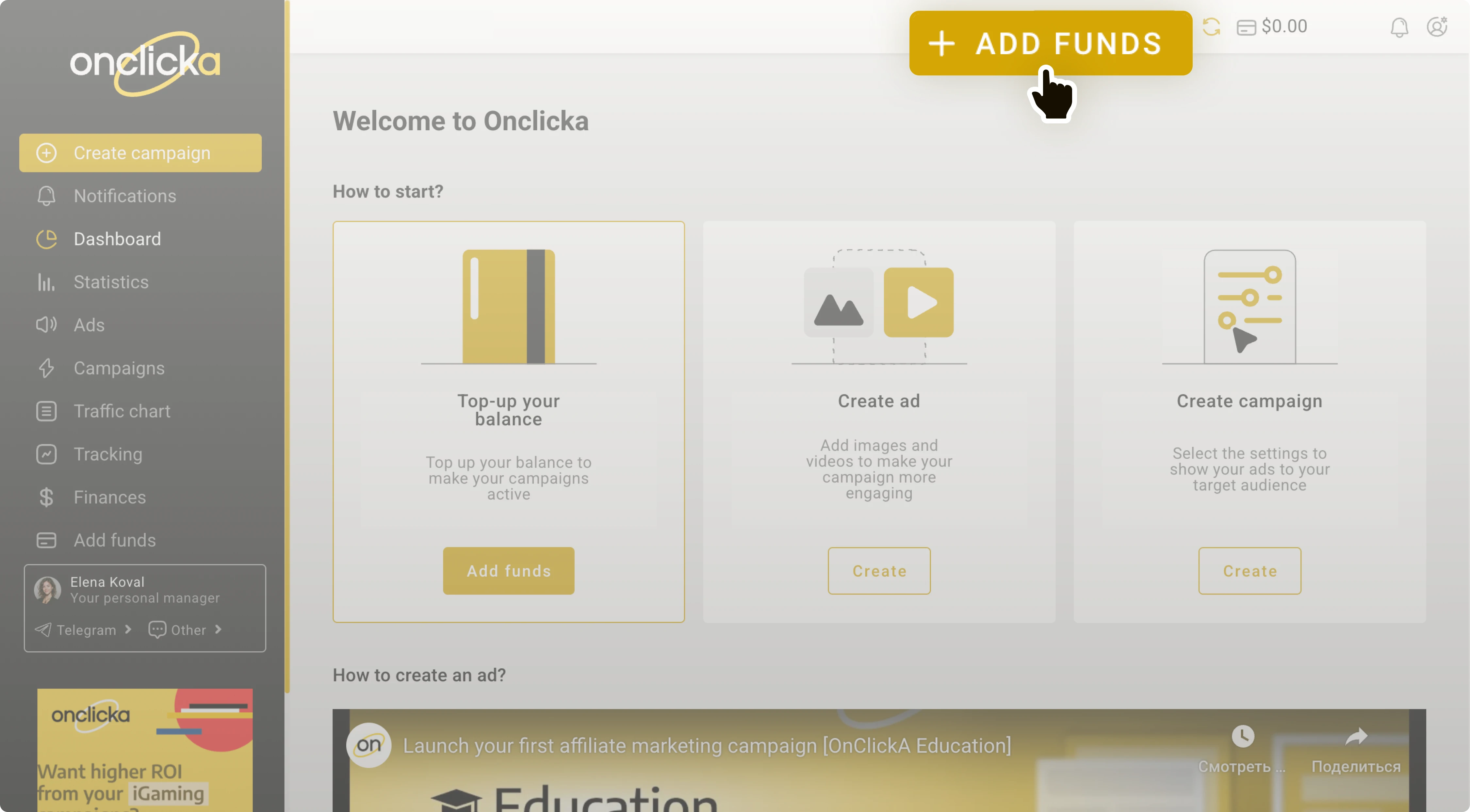
Once at least one of your campaigns is approved, you can proceed to add funds. Click the Add funds button in the top bar:
Step 2
Select a payment method.
Step 3
Enter your top-up amount:
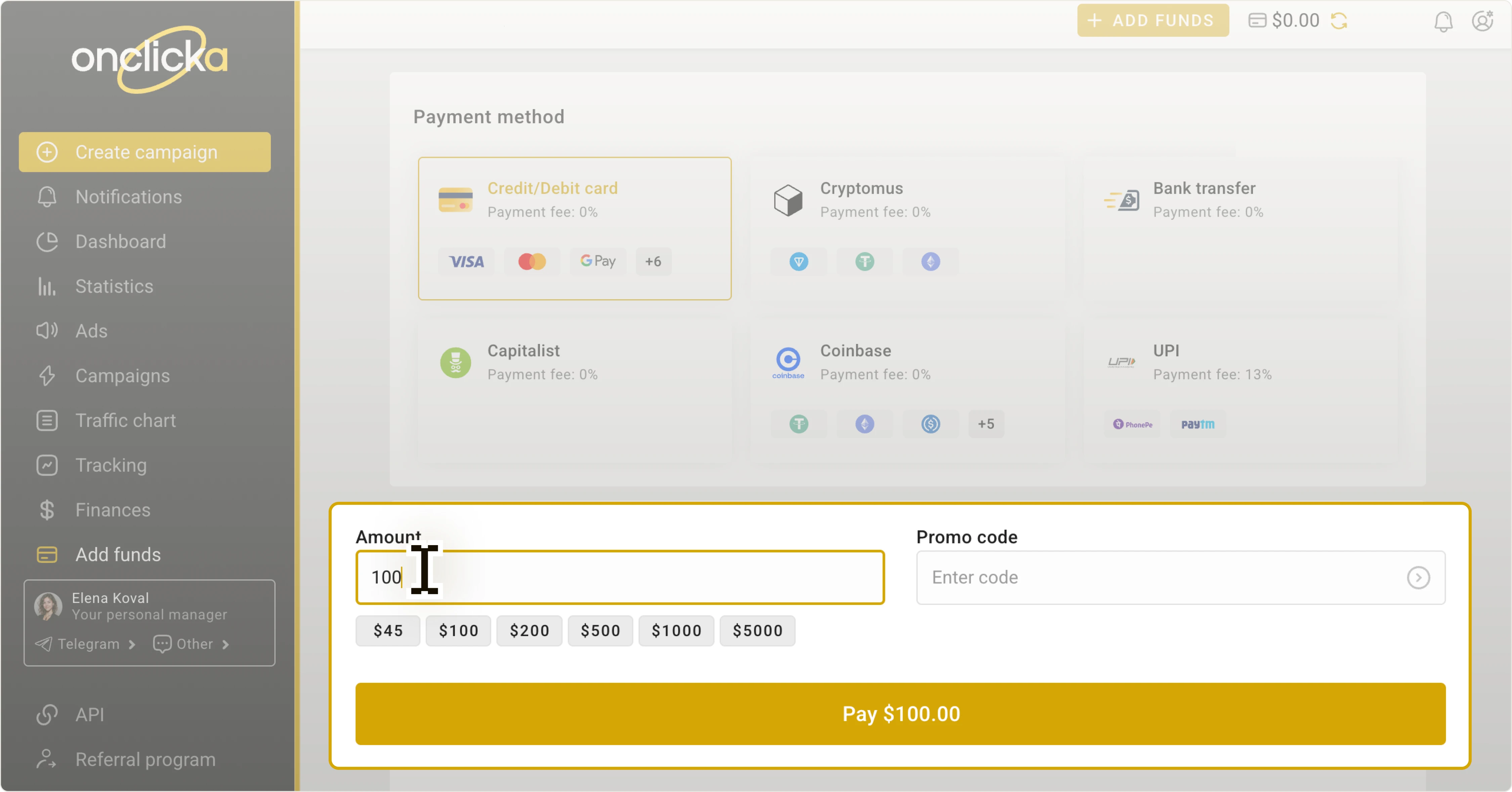
Paste a Promo code if you've got any. You can find coupons with promo codes on our blog, newsletters, and social media:
Step 4
Click Pay:
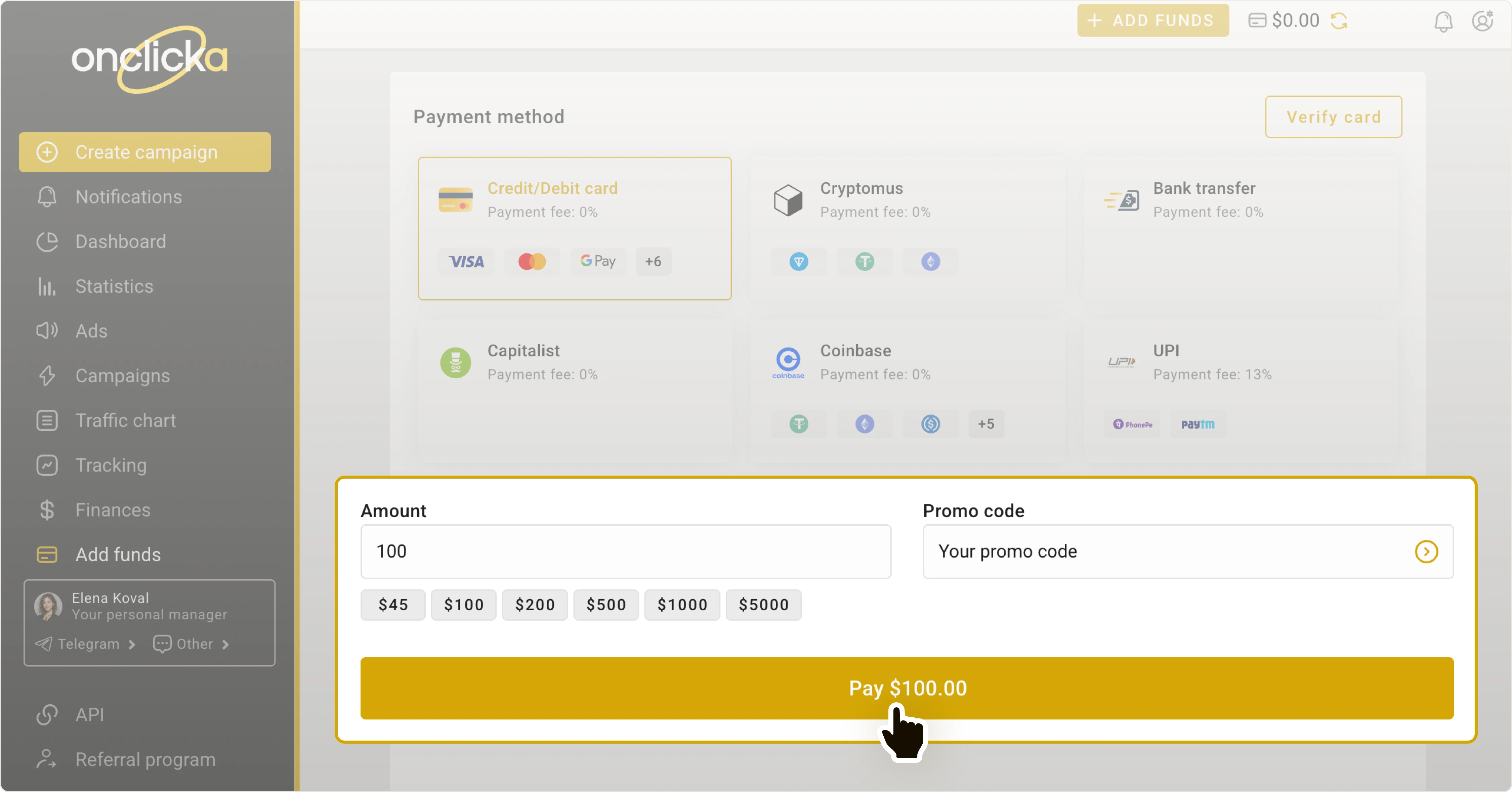
In most cases, your balance will be replenished within 5 minutes.
In rare instances, it might take up to 4 hours.
If your balance has not been updated within this time frame, please contact our support manager via live-chat in the lower right corner.
