
Smart CPM is now available for In-Page campaigns. Learn how to use automated bidding to secure stable traffic volume at the best market price.
Efficiency Without the Guesswork
In affiliate marketing, managing bids is a key part of the strategy. While a fixed bid gives you control, it requires constant monitoring to match market fluctuations. Smart CPM simplifies this process by automating the bidding within your budget limits.
Starting today, this feature is officially available for the In-Page ad format.
How Smart CPM Works
- Standard CPM relies on a fixed bid. You set a specific price and pay exactly that amount. This works well when you need strict cost control, but it requires manual adjustments if the auction heats up or cools down.
- Smart CPM uses a dynamic bidding model. You set a maximum price ("ceiling"), and the platform participates in the auction on your behalf.
The Key Difference:
With Smart CPM, the system automatically bids the lowest amount necessary to win the impression, but never exceeds your limit.
- If the market price is low, you pay the market price (saving budget).
- If the market price rises, the system adjusts your bid up to your defined limit to keep your traffic volume stable.
How to Set Up Smart CPM for In-Page
Switching to the smart model is simple. Follow these steps in your dashboard:
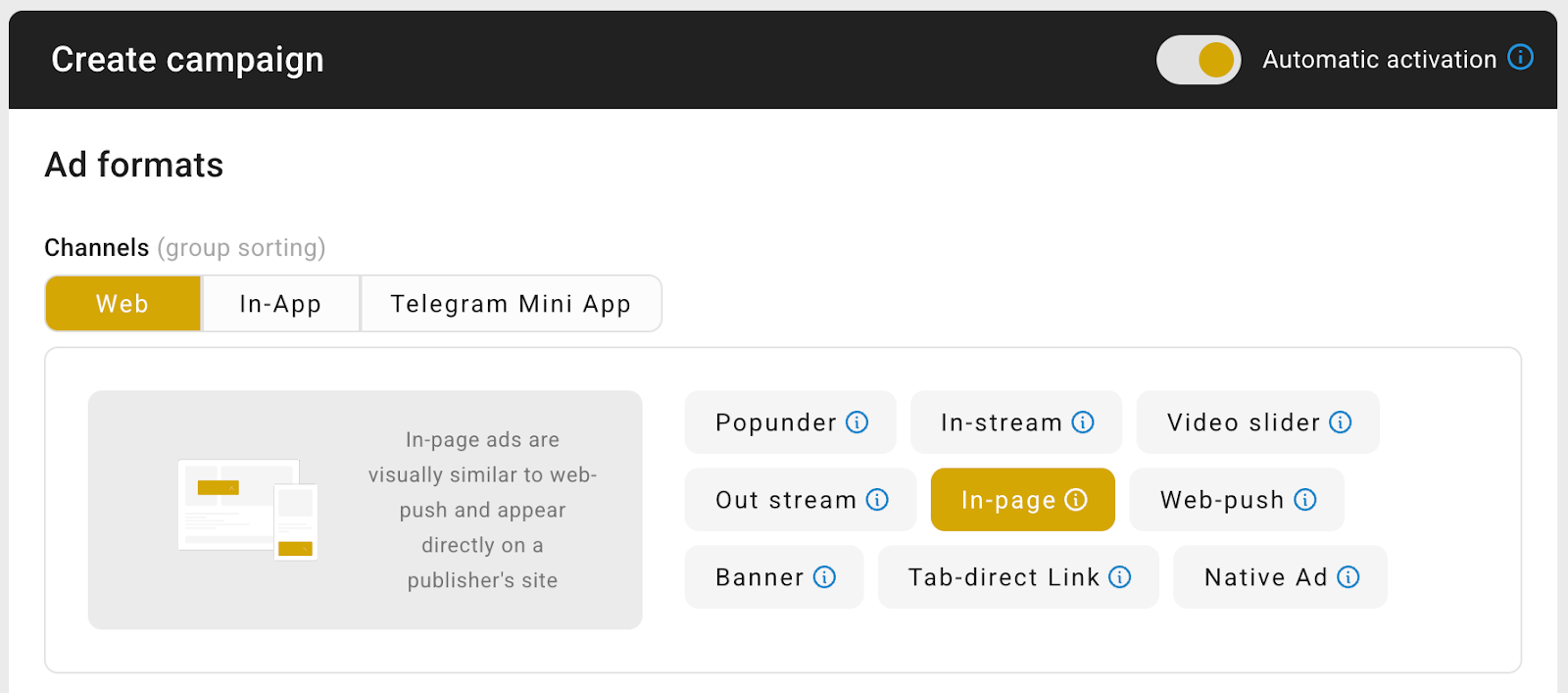
1. Select the Format
Create a campaign and select In-Page as your ad format.
2. Enable Smart Bidding
Scroll down to the "Pricing" section and toggle on "Smart bidding".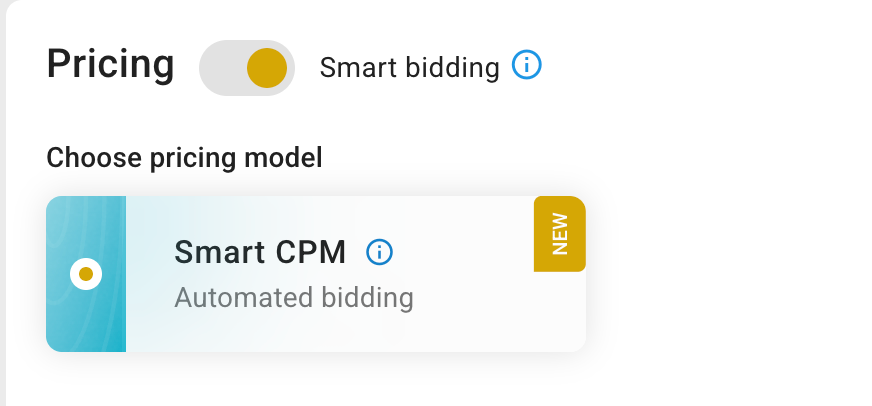
3. Set Your Price Cap (Crucial Step)
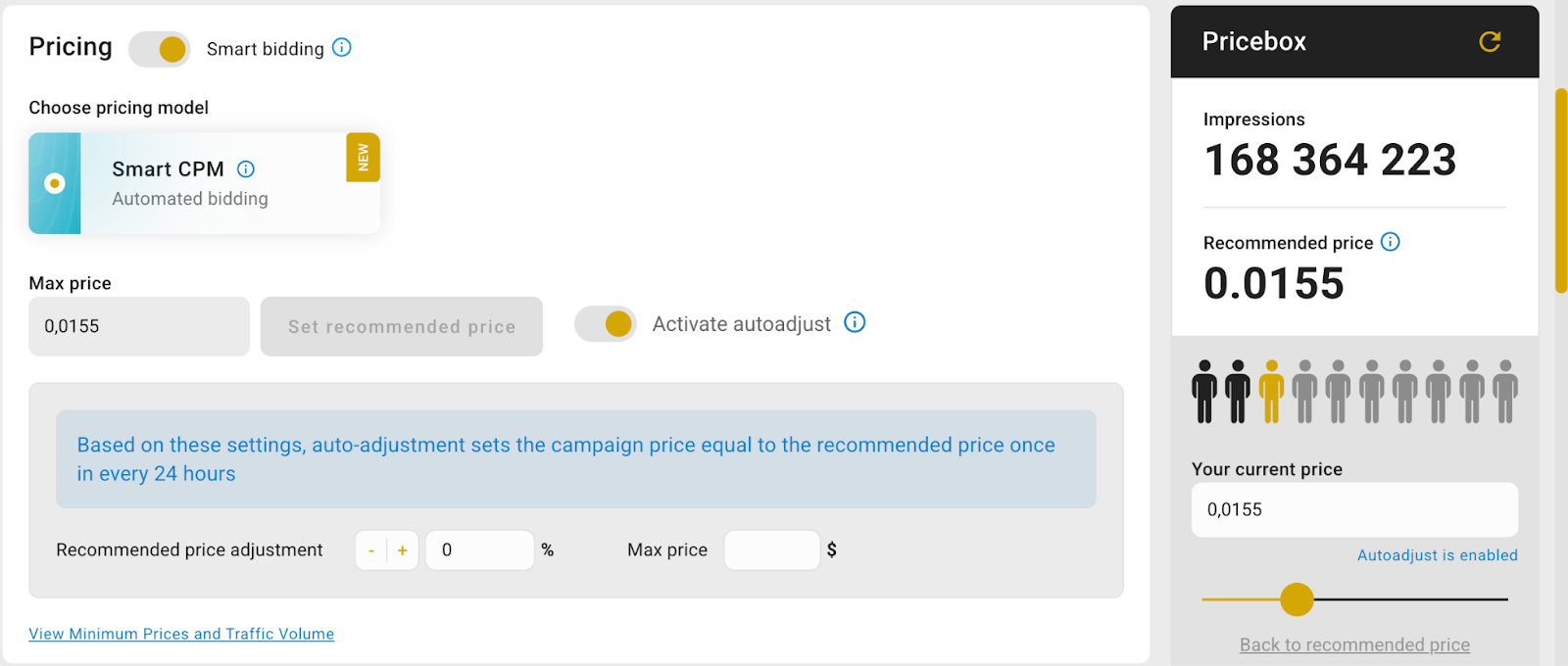
Look at the Pricebox suggestions. To get the most out of Smart CPM, we recommend setting your Max Bid at least 30% higher than the average price shown.
Why set the bid higher?
Do not worry about overspending. This is your safety limit, not the final price. The system will still buy traffic cheaper if the auction allows, but the higher limit ensures you stay competitive even during peak times.
Conclusion
Smart CPM offers a balanced approach: it helps you stay competitive in the auction while optimizing your actual spend. Set your limit, and let the algorithm do the work.