Flexible payment options are key to stable campaign management. We are happy to announce that Payoneer is now officially available for OnClickA advertisers.
How to top up:
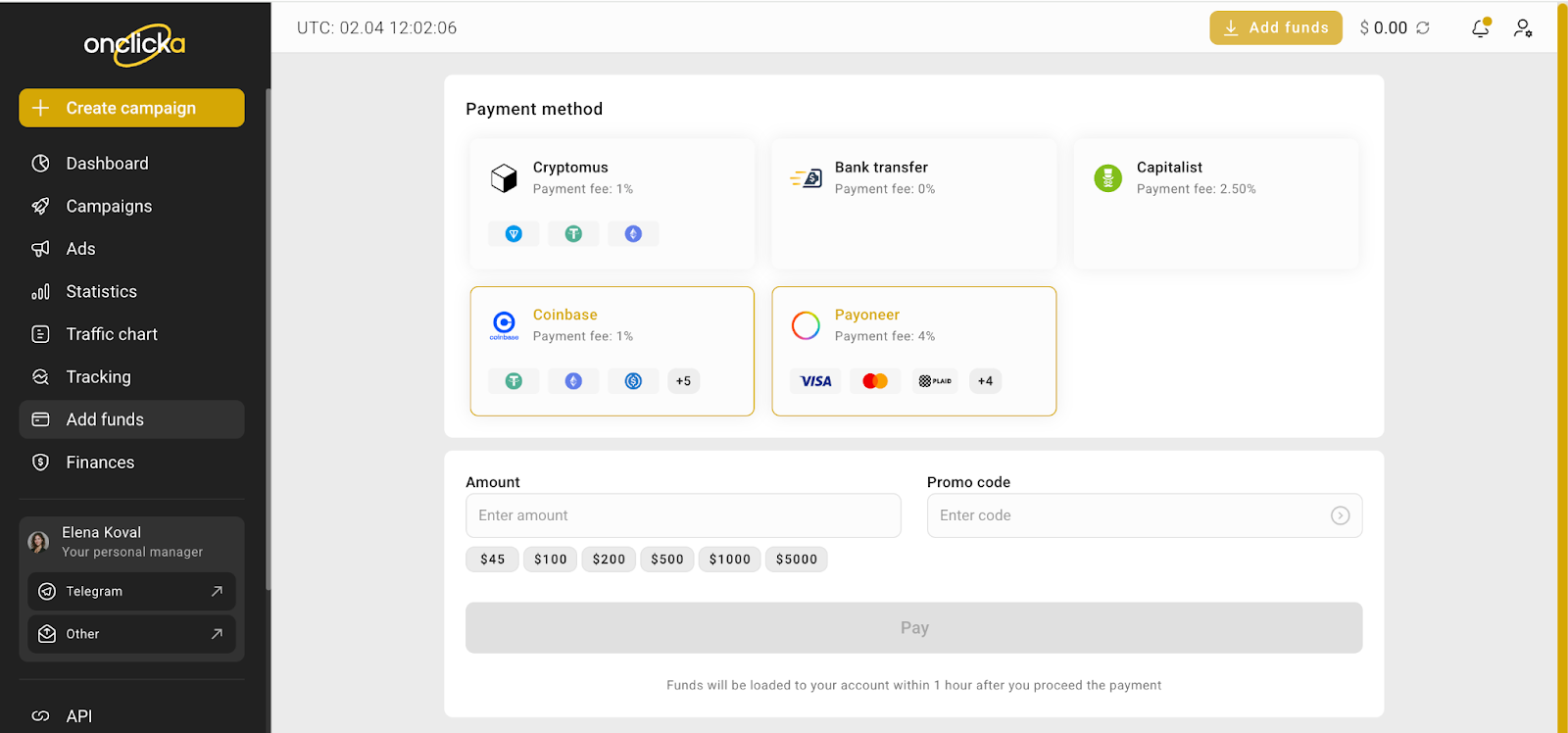
1. Go to the "Add funds" section in your dashboard.
2. Select the Payoneer tile from the list.
3. Enter the deposit amount.
4. Click Pay to proceed.
⚠️ Important Note: Use the same email as your OnClickA account email when completing the payment via Payoneer. Using a different email address may cause delays or issues with crediting funds.